





Use HuntStand to keep track of your hunting lands.
Managing deer hunting land is a tall order to fill. This is true for many reasons. Whitetails require habitat diversity. Deer can be challenging to pattern. Populations fluctuate depending on important factors. The list is many dozens, if not hundreds, of items long.
Sure, it’s the off-season. But deer hunting land management is year-round. And so should your efforts be. Now is the time to set your hunting property up for success next season.
Here’s a detailed guide on how to manage deer hunting land with HuntStand.
Subscribe to Important Deer Management Practices and Principles
Managing hunting land is a three-pronged effort. It includes habitat, herd, and people management. Each one is an important step in the process.
- Habitat Management: Those who manage land must manage the habitat. For whitetails, this involves optimizing bedding cover, providing food sources, installing water sources, and giving them sanctuary. This also requires providing diverse habitat, as deer are edge animals and need an abundance of early successional growth.
- Herd Management: Deer populations must be analyzed and put first. Do what’s best for the deer, and all should be well. That said, allow bucks to reach older age classes. Shoot does as needed to control population densities and buck-to-doe ratios. Implement low-impact hunting tactics.
- People Management: Lastly, manage the people. Is there a landowner you lease from? Maintain that relationship. Are there other hunters on the property? Ensure everyone communicates well and gets along. Perhaps there are neighboring hunters? Do your best to treat them kindly and fairly. Hopefully, they’ll return the same behavior.

Property line management involves several things, including marking boundaries, maintaining a perimeter trail, running security cell cams (when needed), and more.
Understand Property Boundaries Better
Too many times have I talked to hunters who didn’t know the full extent of the property lines where they hunted. Incredibly, most of the landowners I lease or receive permission from know their property lines less than I do. That’s all due to one reason — I use HuntStand.
There are many reasons why a land manager should know their property lines well:
- Preventing accidental trespass.
- Gauging where neighbors might walk or hunt.
- Guestimating potential cross-border escape routes.
- Outlining perimeter access trails.
- Knowing how to centralize important elements, such as bedding and food.
- And more.
Overall, property lines are designed to delineate property borders. Additionally, it helps regulate property use. All of this is important whether hunting by permission, leasing hunting land, or owning your own hunting ground.
Study Intricate Details of Habitat, Topography, and Terrain
HuntStand Pro and HuntStand Pro Whitetail offer various layers that deer hunters can benefit from. For example, 3D Map, Hybrid, National Aerial Imagery, Satellite, Mapbox Satellite, and others, showcase habitat quite well. Similarly, 3D Map, Contour, and Terrain depict topography. The Monthly Satellite is ideal for seeing changes, such as controlled burns, crop rotations, storm damage, timber stand improvement (TSI) changes, and other landscape alterations.
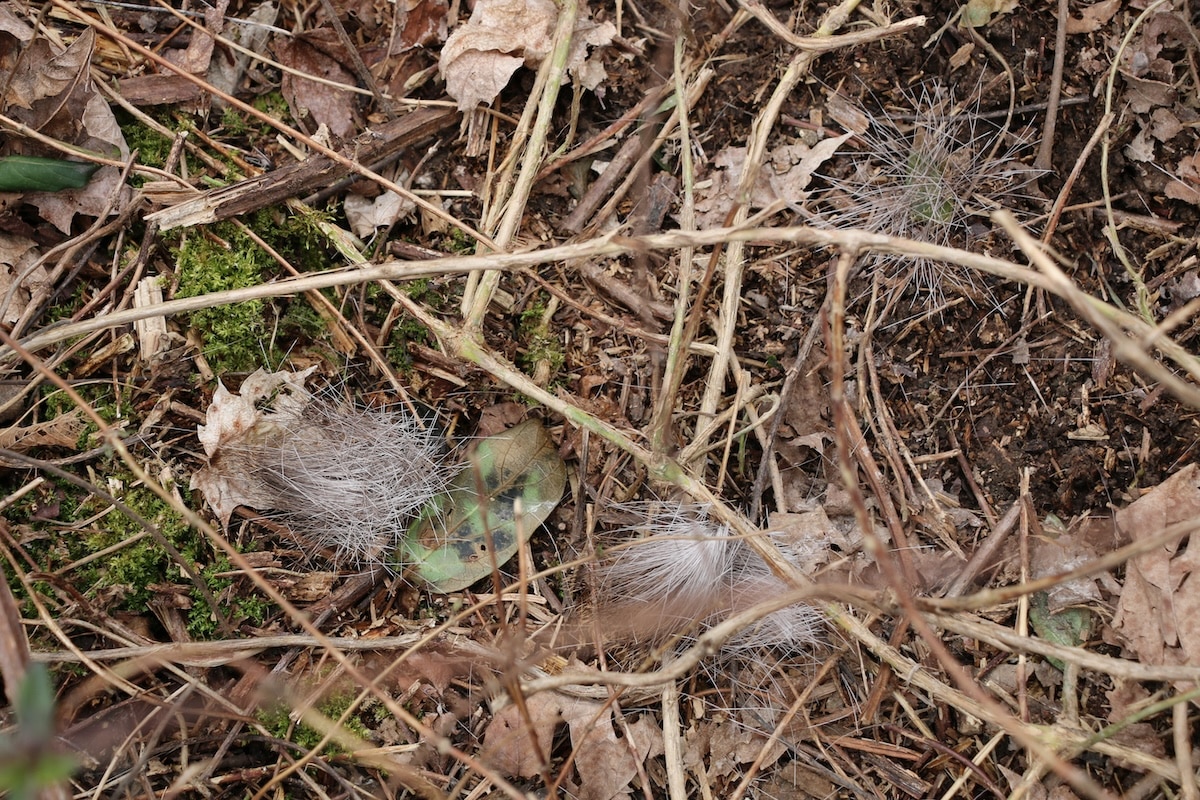
Drop a marker when you find a deer bed. They'll likely come back to it.
Chart Important Scouting Discoveries
HuntStand is excellent for charting important scouting discoveries. These can help better understand how deer use and traverse a property.
General deer markers for sightings include Deer Buck and Deer Doe. Of course, there are a plethora of scouting icons. Some of these include:
- Bedding Area, Droppings, Rub, Scrape, Shed Antler, Tracks, Trail, Trail Crossing, etc.
- Funnel, Pinch Point, Glassing Point, Agricultural Field, and others.
- Heavily Used Food, Heavily Used Water, Other Food Source, Other Water Source, and more.
- You can even select a Custom marker for other unique occurrences.
Of course, one of the best times to utilize HuntStand’s Track Path feature is during the post-season. While scouting, and with Track Path turned on, walk all deer paths on the property. Then, save the traced area as a new object. This allows you to visualize the property’s entire trail network at one time. That’s highly valuable information.
Spring Whitetail Scouting 101: Making a Plan for Fall Deer Seasons
Study Travel Routes (Lines of Movement)
With all scouting markers in place, hunters can then study whitetail travel routes. This allows them to determine lines of movement. Of course, that’s vital information for choosing key locations for blinds, stands, food plots, feeding stations, access routes, and more.

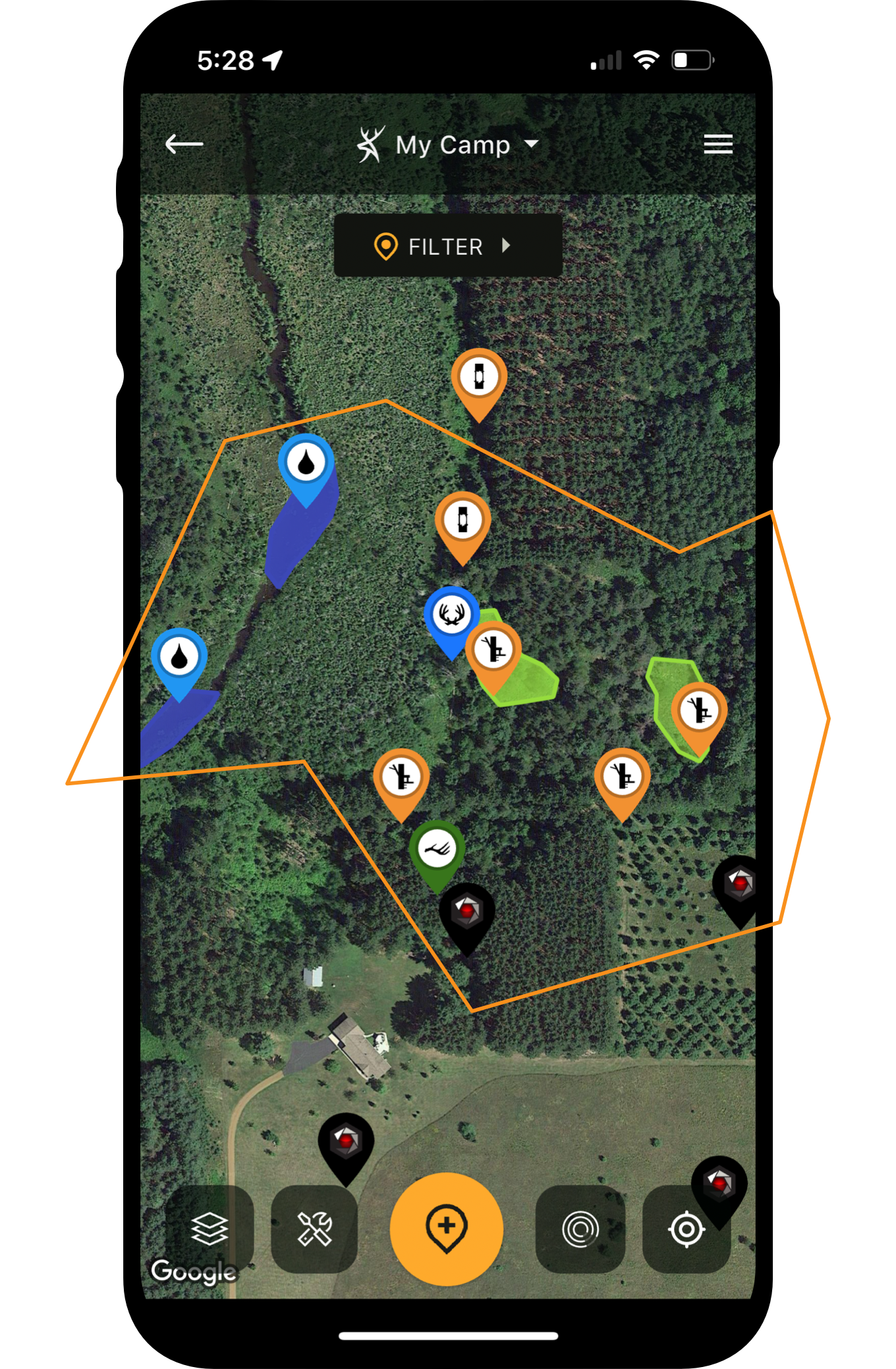
Plot all treestands and blinds in HuntStand.
Plot Important Hunting Gear Deployments
Those who manage moderate to large acreages might find themselves with many treestands, hunting blinds, trail cameras, and more. That’s a lot of things to keep track of. Fortunately, HuntStand provides markers for these things.
- Club, Gate, Hazard, Parking, Structure, Travel Obstacle, etc.
- Ground Blind, Climbing Stand, Hang-On Stand, Saddle Tree Stand, Leaner Tripod, and more.
- Bait Pile, Feeder, Mineral Location, and others.
- Trail cam.
Whatever the gear, drop a marker to remember its location. That way, you don’t forget about important gear for days, weeks, or years on end. Of course, when gear items are in the field for weeks, months, or even years, it’s possible to forget their locations. At least, it’s challenging to remember at certain times, such as when choosing a stand to hunt, considering trail camera locations, and more.

Don't guess how much seed you need. Use HuntStand to get it right.
Optimize Food Plot Planting Procedures
Tired of guessing how much seed to buy for food plots? Now, you can know exactly how much to purchase. For open areas that already show on HuntStand, merely draw and save a food plot shape around the perimeter. For areas cleared that still don’t show in app layers yet, walk the perimeter of the plot and mark it as you go.
Then, click the shape to see the acreage. Do this for each food plot, and you have an accurate acreage for fertilizer, seed, spray, and more. It even maintains the accurate location, shape, and other details of food plots.
Keep Track of Property Tasks
The Group Board is an excellent tool for keeping track of things happening on the landscape. Of course, most hunting leases, hunt clubs, and other hunting properties require regular task completions. HuntStand provides that ability to users.

Know when the rut is to help make antlerless harvest decisions.
Know Exactly When Your Rut Timeline Occurs
The Nationwide Rut Map provides county-based data on when the rut takes place. It provides seven- to 10-day windows for key phases, including pre-rut, peak rut, waning rut, pre-second rut, and second rut. Of course, the exact dates vary from state to state and county to county. So, study the details for your area, and know more about when to head afield near you.
This impacts management, as it can dictate when you plan to fill your doe tags. Some hunters prefer to remove does before the rut. Others like to do so during the late season. There are pros and cons to both.
HuntStand’s Guide to Post-Season Scouting for Deer
Keep Track of Good, Bad, and Otherwise Acceptable Wind Directions
With scouting notes displayed, and hunting equipment deployed, it’s much easier to keep track of key wind directions. It’s important to note the good, bad, and otherwise acceptable winds. It could even help execute the killer just-off wind tactic, which is a serious big-buck move.
Outline the Right Entry and Exit Routes to Stand Locations
The scouting notes display where deer bed, feed, water, and travel in-between. Markers showcase hunting blind and treestand locations. With these things highlighted, it’s much easier to outline the right entry and exit routes to blind and stand locations. This helps reduce pressure on the deer herd and can preserve the hunting there for a long time.
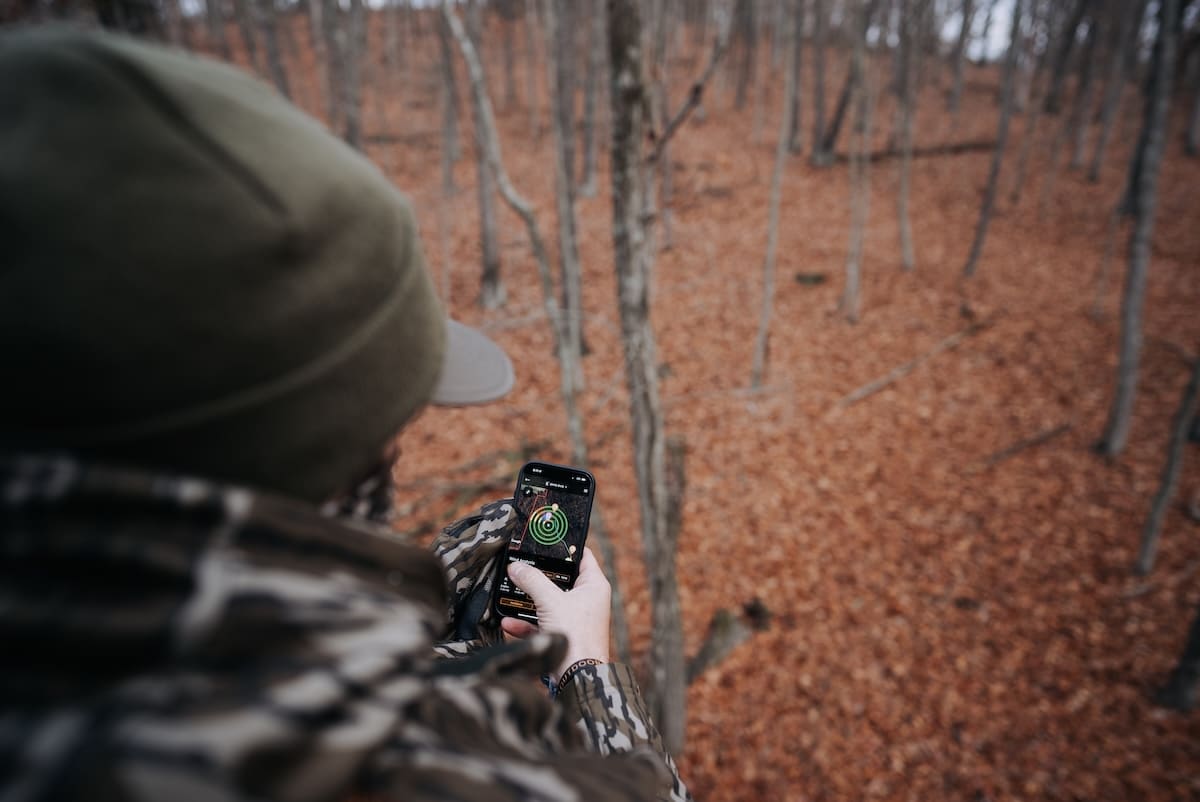
The HuntZone wind indicator tool is excellent for planning just-off wind hunts.
Reserve Blind and Stand Locations
Those who join hunt clubs, hunting leases, or simply share access to a property know it can be challenging to reserve blind and stand locations. Fortunately, HuntStand makes this easy with a feature within the app. Merely go in and reserve the spot you want for the upcoming hunt. It’s that easy.
Integrate the Command Pro App for Advanced Trail Camera Intel
One of the most powerful tools available to modern deer hunters is the integration of cellular trail cameras and hunting apps. Therefore, by connecting these accounts, hunters can see exactly where their trail camera photos are coming from. Furthermore, it can help analyze important scouting intel with trail cameras.
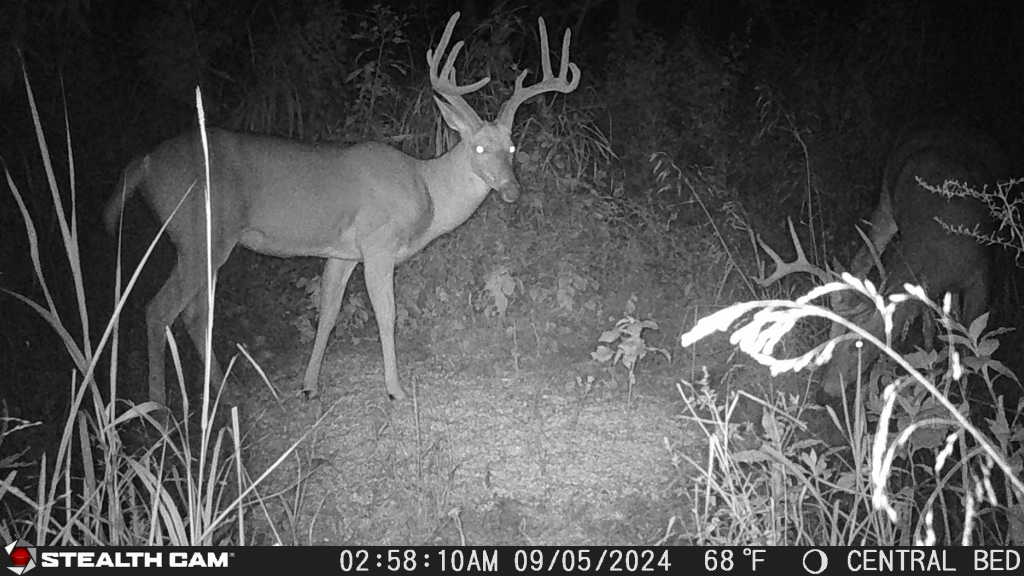
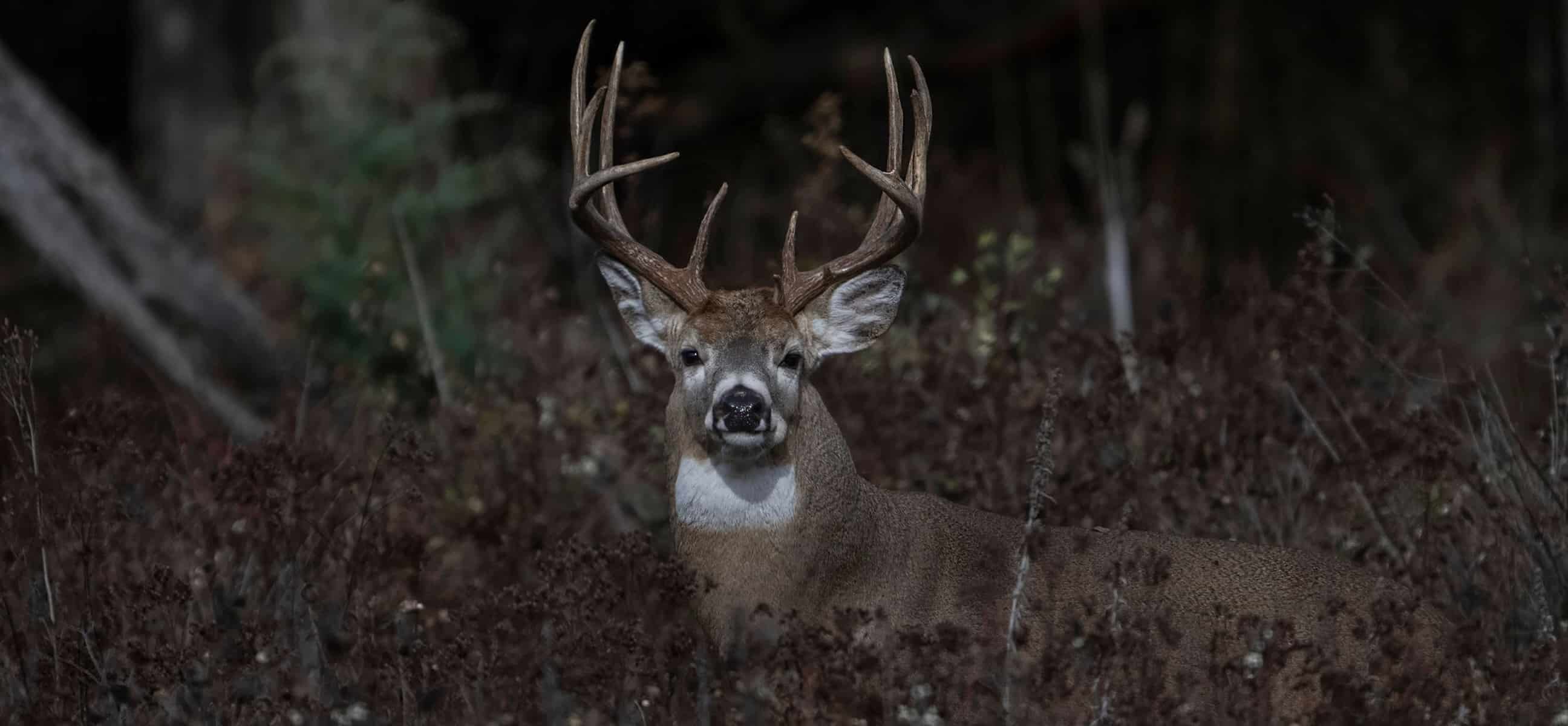
The author kept tabs on this buck via his Stealth Cams.
Plan Hunts with the Highest Possible Odds
All of the aforementioned tools culminate into a highly functional hunting app for land managers. This boosts hunters’ abilities to plan hunts with the highest possible odds.
For example, planning a just-off wind direction hunt is far easier when viewing all relevant property details, and the HuntZone wind indicator tool, all in one place.
Additionally, use the Whitetail Activity Forecast to help identify days with better hunting conditions. This can decrease unneeded hunting pressure and boost the odds of filling your buck tag.
How to Scout Deer in Winter

This big main-frame eight is a product of hunting land management.
Offline Hunt Area Data Retention and Access
Don’t have much (or any) service on your hunting property? No worries. HuntStand’s Offline Mapping feature allows you to continue using the app even when cell service fades to nothing. To benefit from it, just save an offline map version of the surrounding area. Then, if service cuts out, switch over to Offline mode.
All things considered, there are other ways HuntStand benefits hunting land managers. But the above methods are exceptional ways to bring the app along for the ride. You never know, it just might lead to the biggest buck of your life.
UPGRADE TO HUNTSTAND PRO WHITETAIL