



You practice your calling regularly. Take the time to pattern your favorite gun and load and dial-in your latest smooth-shooting compound. But are you making the most of HuntStand? There’s no doubt hunting turkeys is a specialized pursuit, and few understand this like Team HuntStand. We know the ways to locate spring turkeys. So, let’s explore a few important app features that will help you locate and set up on more spring birds.
1. Knowing the Property Lines
Say you’ve spotted a gobbler on an unfamiliar property. Do you have access to hunt there? Check HuntStand’s Property Info tool for property lines and to look up landowner information. If you don’t have permission, use the landowner’s mailing address to find their home and knock on their door.
Another advantage? Quickly and easily locate potential hotspots on, say, mostly wooded public tracts that abut private farmlands. In this scenario, many local turkeys may well be roosting on the wooded public ground and traveling over to feed and strut in the open privately held fields. Almost instantly, you’ve determined prime areas for potential turkey ambushes, and at the least, some sweet spots for more thorough, boots-on-the-ground scouting.
2. Logging Turkey Sign and Sightings
By logging your turkey observations, over time, you can begin to recognize activity patterns that will lead you to more successful hunt planning. HuntStand allows you to save turkey logs, such as turkeys seen, log time, activity, and additional logging fields if you harvest a bird. You can analyze your logs in the app, or, back home on your home computer. Just open your account on the HuntStand website to sort logs according to various conditions.
3. Using Map Building Options
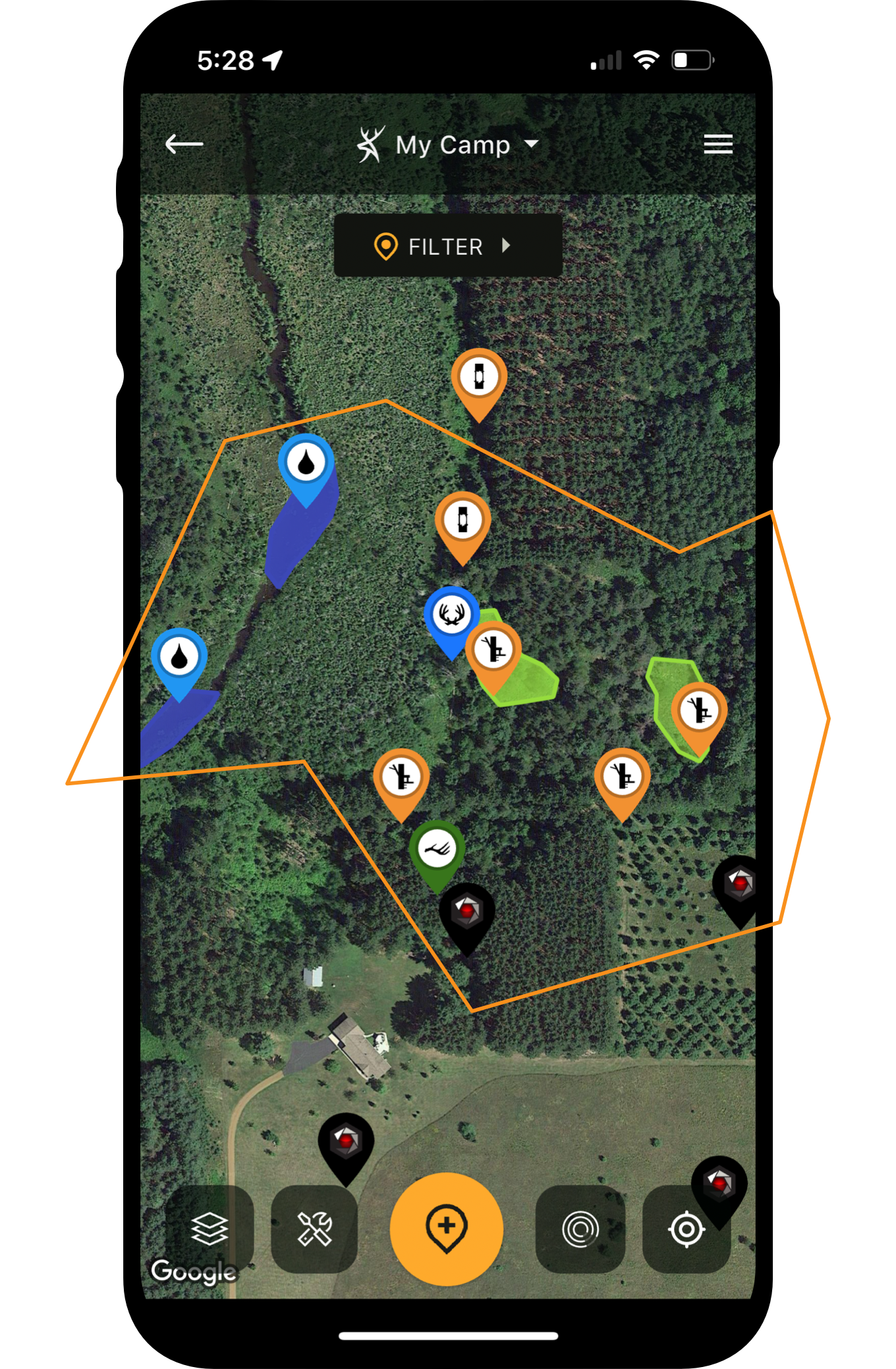
Think of map building as a way to quickly store places of interest in your HuntStand app. Unique to turkey hunting, map marker icons include options such as dusting areas, gobbles heard, ideal set up spots, roost sites, scratching, and much more. View the map marker icon tools on HuntStand’s interactive map. Use them to put together turkey hunting puzzle pieces and to make game-time decisions as you’re planning your hunts.
4. Recording Turkey Sightings
When the HuntStand app is set to Sightings mode, you’ll notice the ability to log extensive information regarding sightings. When you hear turkeys gobbling, or see them in the field, open the app and drop a pin on the location where you think they’re at. This will make it easier to navigate to a gobbler and set up, and it will also help you keep track of all the spots you’ve seen turkeys and heard gobblers, to consider on future hunts.
5. Monitoring Weather
You see that HuntStand is forecasting windy conditions in your area for the next several days. Is it more important for you to hear gobbles from upwind, or for your calls to project greater distances downwind? Both can be smart plays. By using HuntStand’s Hunt Zone wind map, you can decide how to approach a field or block of timber depending on your listening or calling strategy.