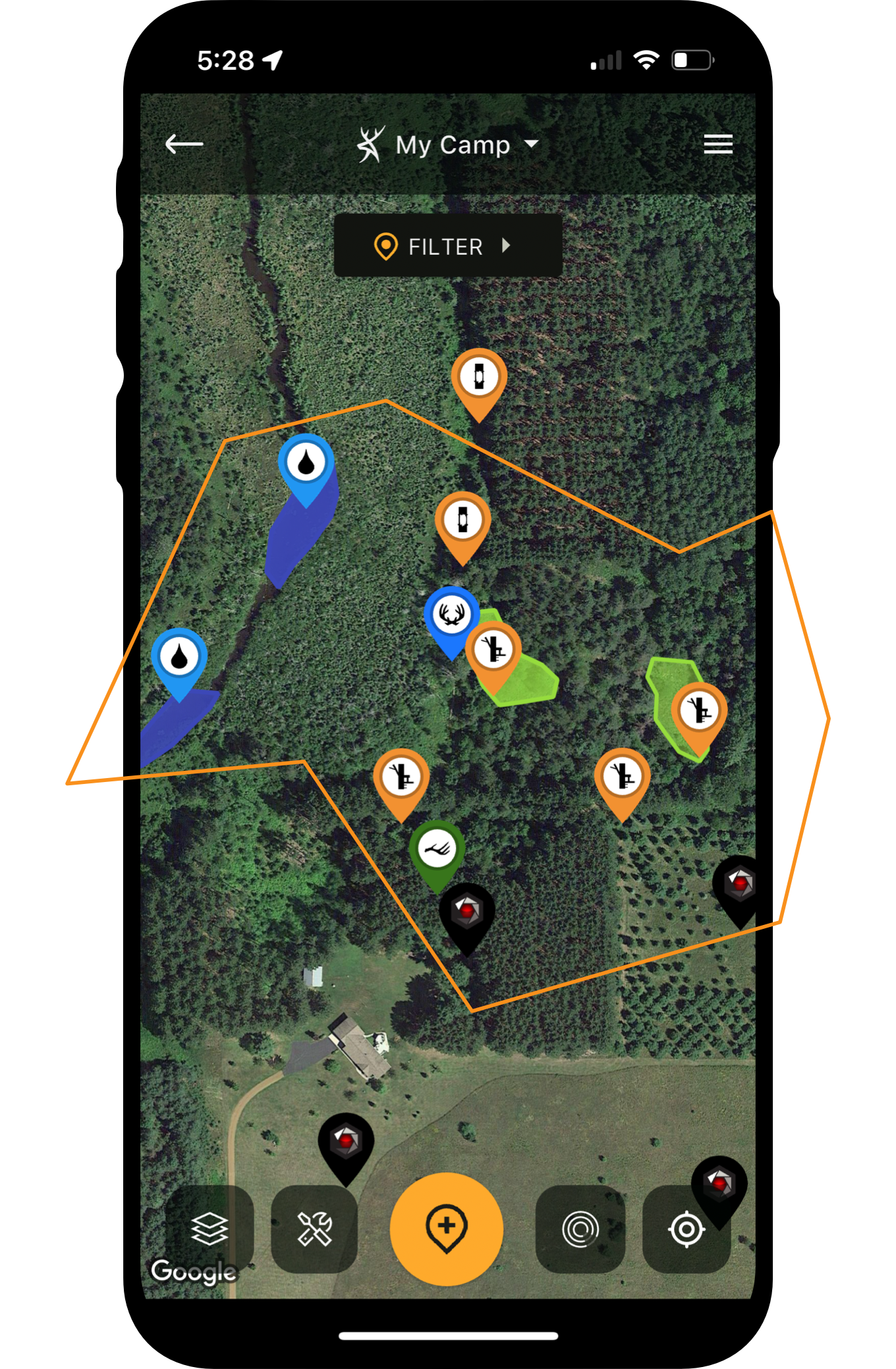





In this video, Josh Dahlke breaks down his process for a successful turkey hunt using HuntStand. The app comes loaded with features that can help you get a big bird down and by the feet, and in less time at that. Here are advanced tips for turkey hunting with HuntStand.
- Find some hunting land via the Property Info, Public Lands, and Hunting Lands app layers.
- E-scout with all of the available base layer options. Study lands from the macro and micro levels.
- Pinpoint key turkey habitat, such as hardwoods, evergreens, field openings, and more. Use key aerial layers.
- Locate terrain and topography features that attract turkeys, such as ridge lines, hills, etc. Use 3D Mapping.
- Find consistent food and water sources, which come in many forms.
- Discover limited access areas that discourage other hunters from hunting the area (i.e.: water, long hikes, etc.).
- Identify quality access points that allow you to approach hunting spots from the right directions.
- Drop scouting pins with map icon markers and notes.
- Use tracks to keep up with where you’ve scouted or hunted turkeys.
- Keep up with weather conditions, and plan hunts wisely according to the conditions.
- Sync cell camera images and data with your HuntStand interface and built maps.
- Roost turkeys and mark their locations for the next morning’s hunt.
- Gauging directions of travel between roost sites and feeding areas.
- Create multiple game plans, and have all relevant information and notes in your Hunt Area.
- Use the Friend Locator to keep up with fellow hunters or loved ones.
- Use Offline Mapping to keep using the app even without cellular service.
- And much more.
The Best Turkey Hunting Spots (and How HuntStand Pro Finds Them)
This turkey season, don’t head afield without HuntStand in hand. This powerful tool fits in your pocket and packs a big punch when looking to smack a big strutter in the noggin. You’re welcome!


![Youth Turkey Hunting | Redemption After Rock Bottom [Turkey POSSE]](https://assets.huntstand.com/wp-content/uploads/2025/02/HuntStand-Turkey-POSSE-Avian-X.jpg)